
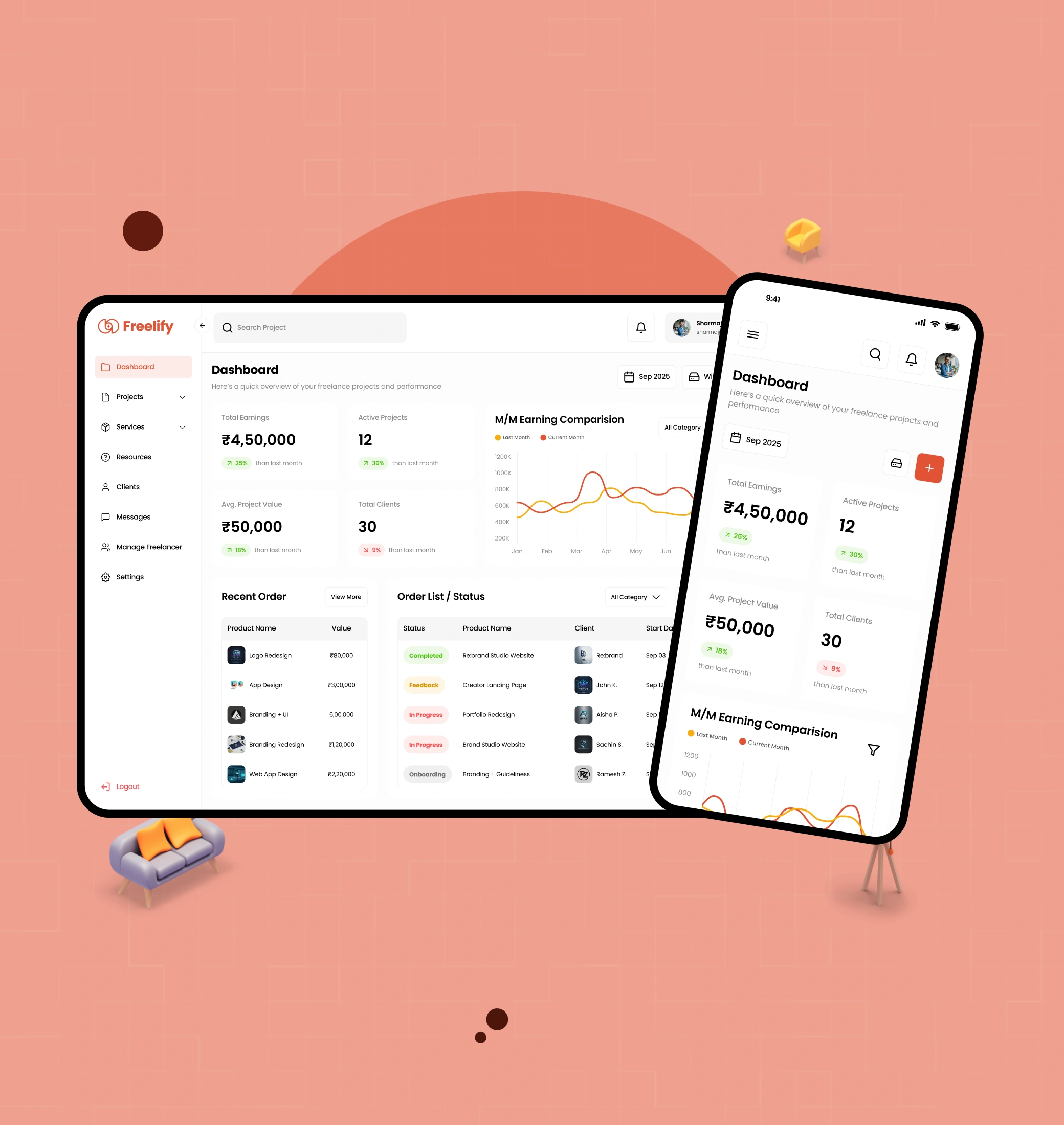
A lot of freelance work is not hard because the jobs are complicated. It is hard because the information is scattered.
I was working on a product that needed to help someone keep track of projects, payments, revisions and client communication without making them jump between too many tools.
The problem
The issue was not that freelancers did not have enough data. It was that the data was hard to read in context.
Project status, payment timing, revision history and communication all lived in different places. That makes it easy to miss what matters, especially when multiple clients and deliverables are moving at once.
The work was to make the current status of a project obvious at a glance, without turning the product into an operations system that required constant setup and maintenance.
What I focused on
I kept the product centred on a few things that matter most to a freelancer working across multiple clients:
- What is active and what is waiting
- What is due, what is paid and what is still outstanding
- What has changed in a project and what still needs attention
- Where communication and files live in relation to the work itself
Design approach
The product needed to feel like a working system, not a dashboard full of disconnected widgets.
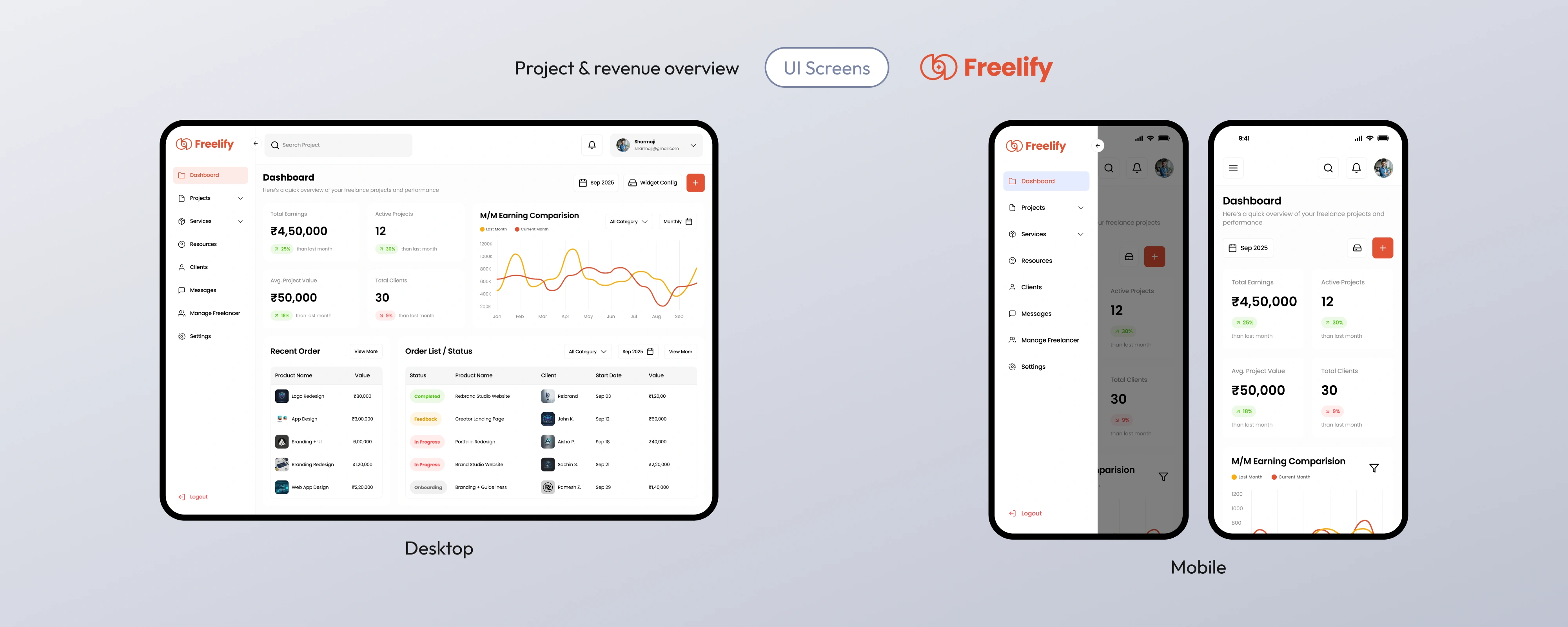
- Dashboard overview — a clearer snapshot of active projects, workload and revenue status.
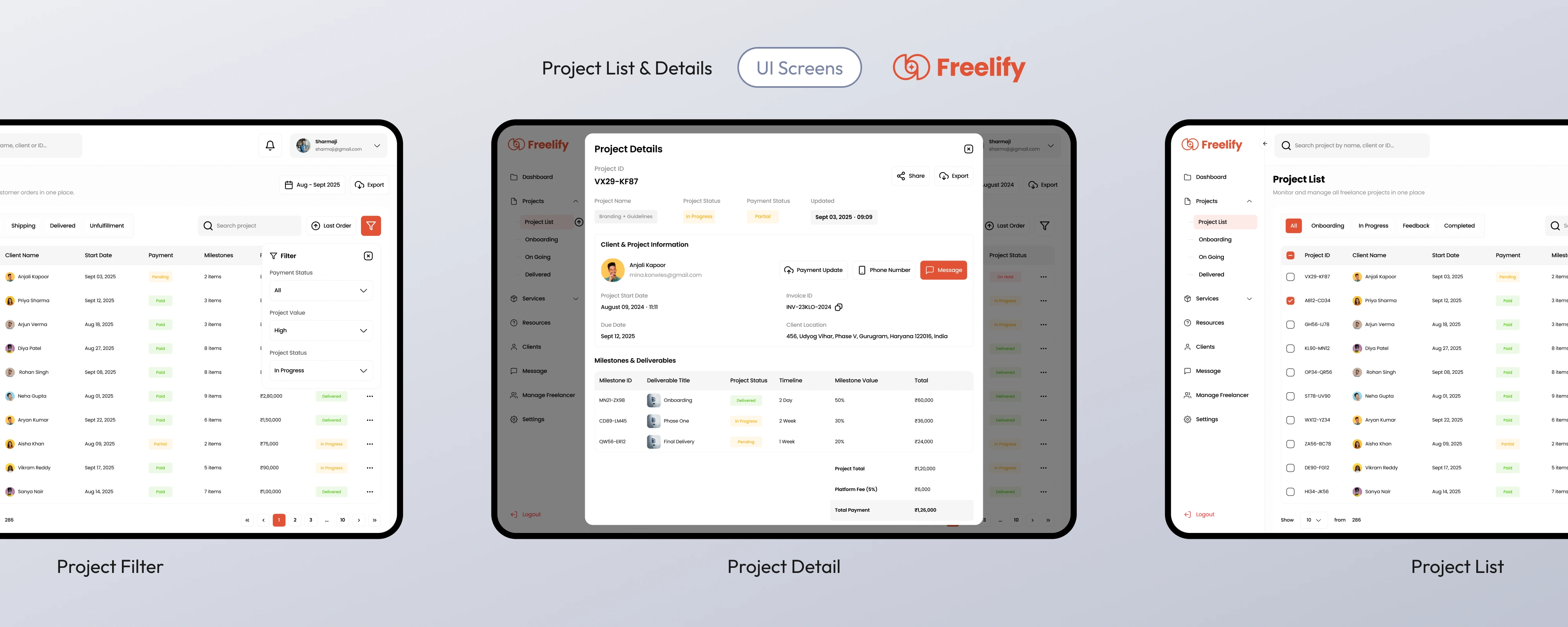
- Project lifecycle — a simple way to understand where a project stands without opening too many screens.
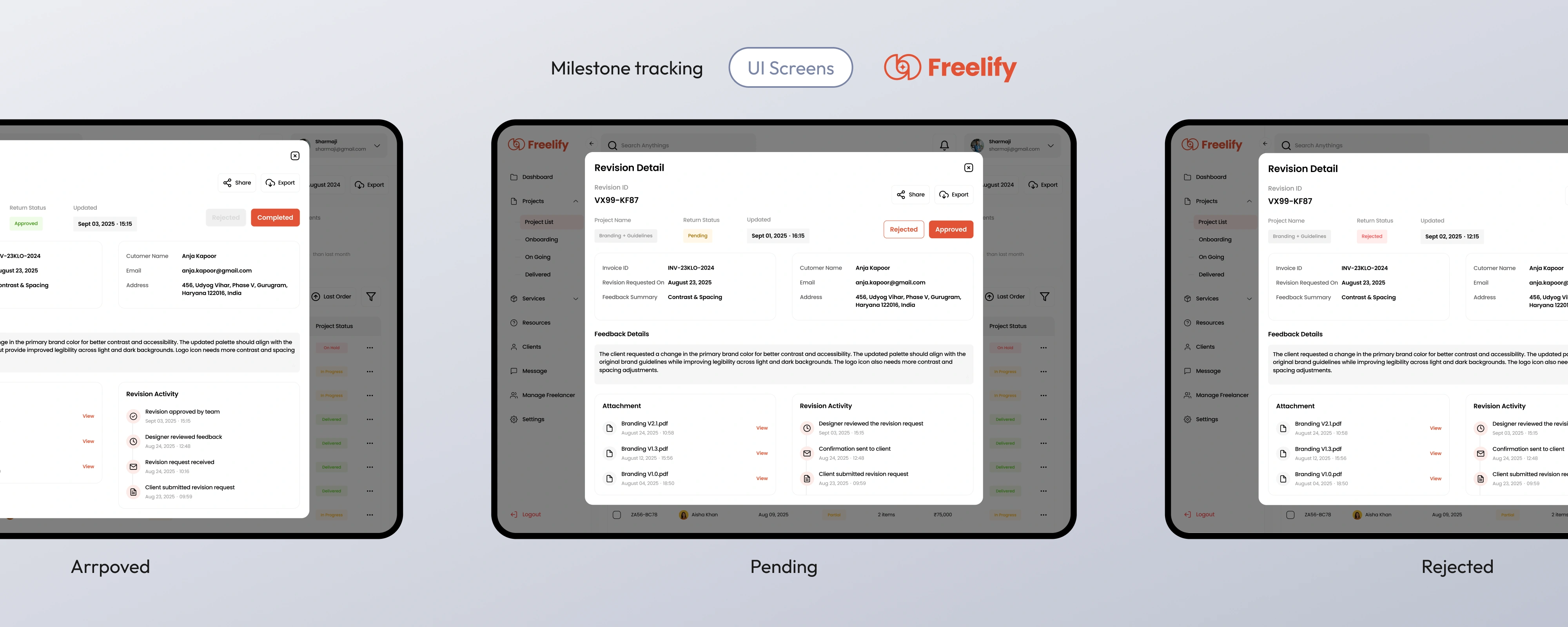
- Milestone and revision tracking — enough structure to keep work moving, without creating too much admin.
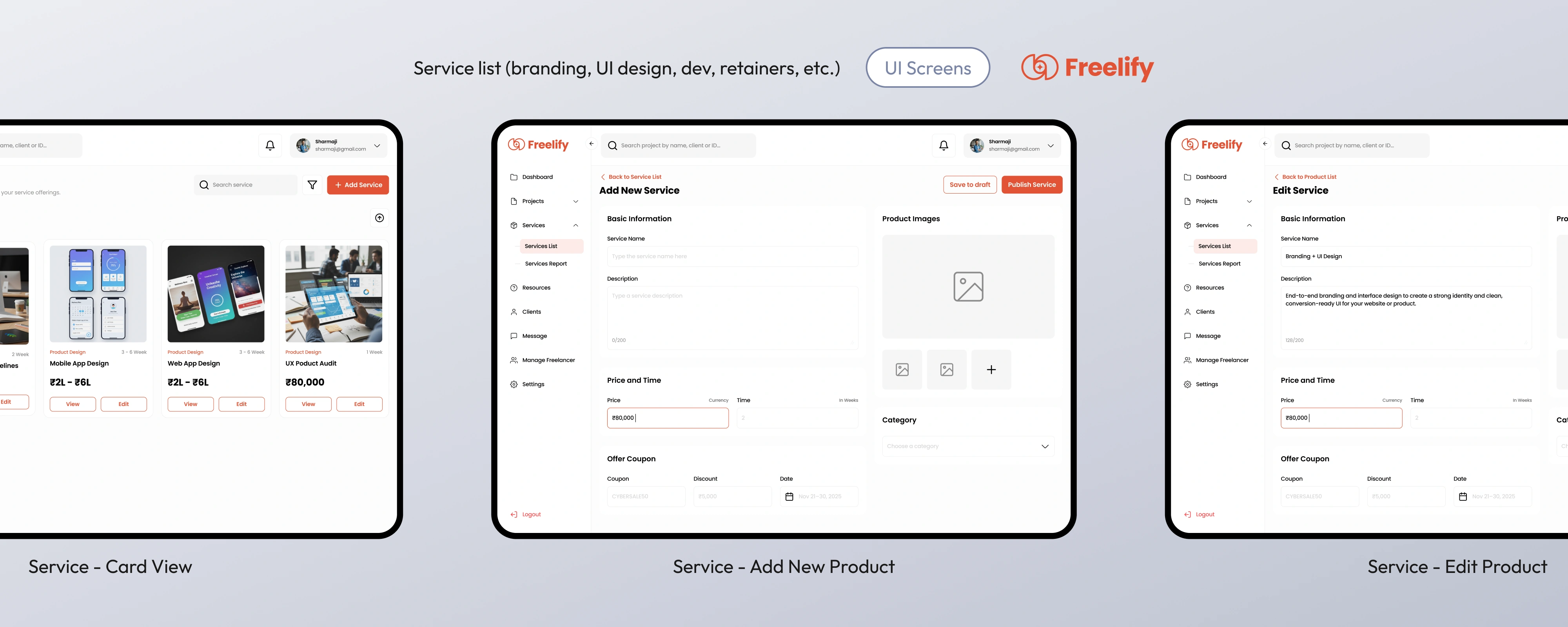
- Service and pricing management — a place to keep offerings and payment details organised.
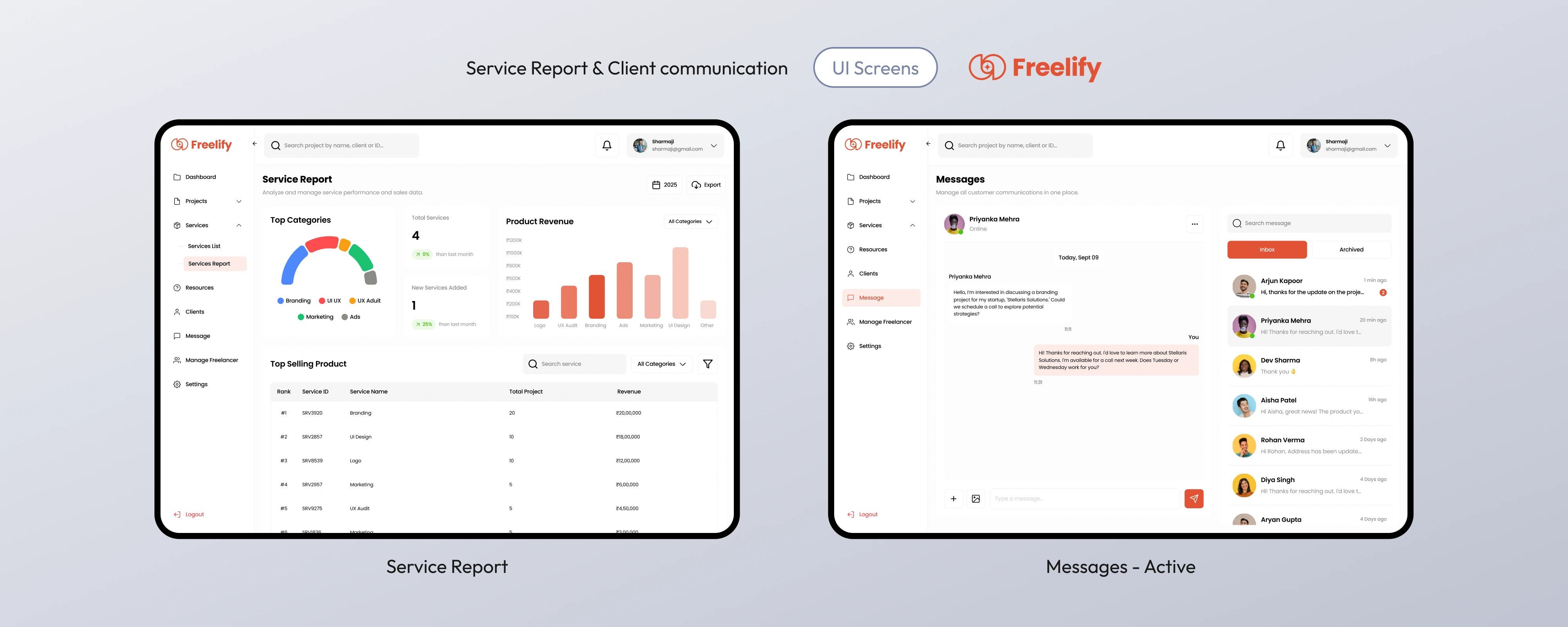
- Client communication — keeping messages and project context in the same flow instead of separating them.
The constraint
This was not a blank-slate product. It was a redesign within an existing design and that mattered.
The goal was not to invent a completely new system from scratch. It was to make the current structure easier to understand, easier to work with, and easier to maintain without forcing the person using it to relearn the whole thing.
What I decided
I leaned toward clarity over breadth.
A freelancer does not need a huge feature set in the first place. They need a clear view of what is happening now, what is coming next, and what still needs attention.
That meant the product needed to do a few things well: keep project status readable, keep financial context close to the work, and keep client communication tied to the project instead of treating it like a separate task.
Flows (UI Screens)
The following screens show the workflow from overview to project tracking, milestone management, pricing, and communication.
What the design was trying to clarify
The main aim was to make day-to-day project management feel less like admin and more like control.
- What is active and what is waiting
- What is still outstanding
- Where a client conversation belongs
- What has already happened and what still needs action
That is where the design did its work: not by adding more features, but by making the current workflow easier to read and easier to trust.
Key trade-offs
- Prioritised clarity and status visibility over deeper analytics in the first pass.
- Kept the project lifecycle structured rather than building a highly custom workflow for every type of job.
- Limited automation to keep control in the hands of the freelancer.
- Focused on keeping the experience understandable, not on adding more modules for the sake of completeness.
For this kind of product, the value is in reducing the number of small decisions someone has to make while tracking work. The strongest design choices are the ones that make the next action obvious.
What I learned
The real problem was not a lack of features. It was a lack of clarity.
Once the project, the payment, the revision, and the communication all lived in the same mental model, the product became much easier to reason about. It stopped feeling like a collection of tasks and started feeling like a working system.
That is the part I would carry forward: the best operational tools help someone answer “what needs attention now?” without making them do the sorting themselves.