
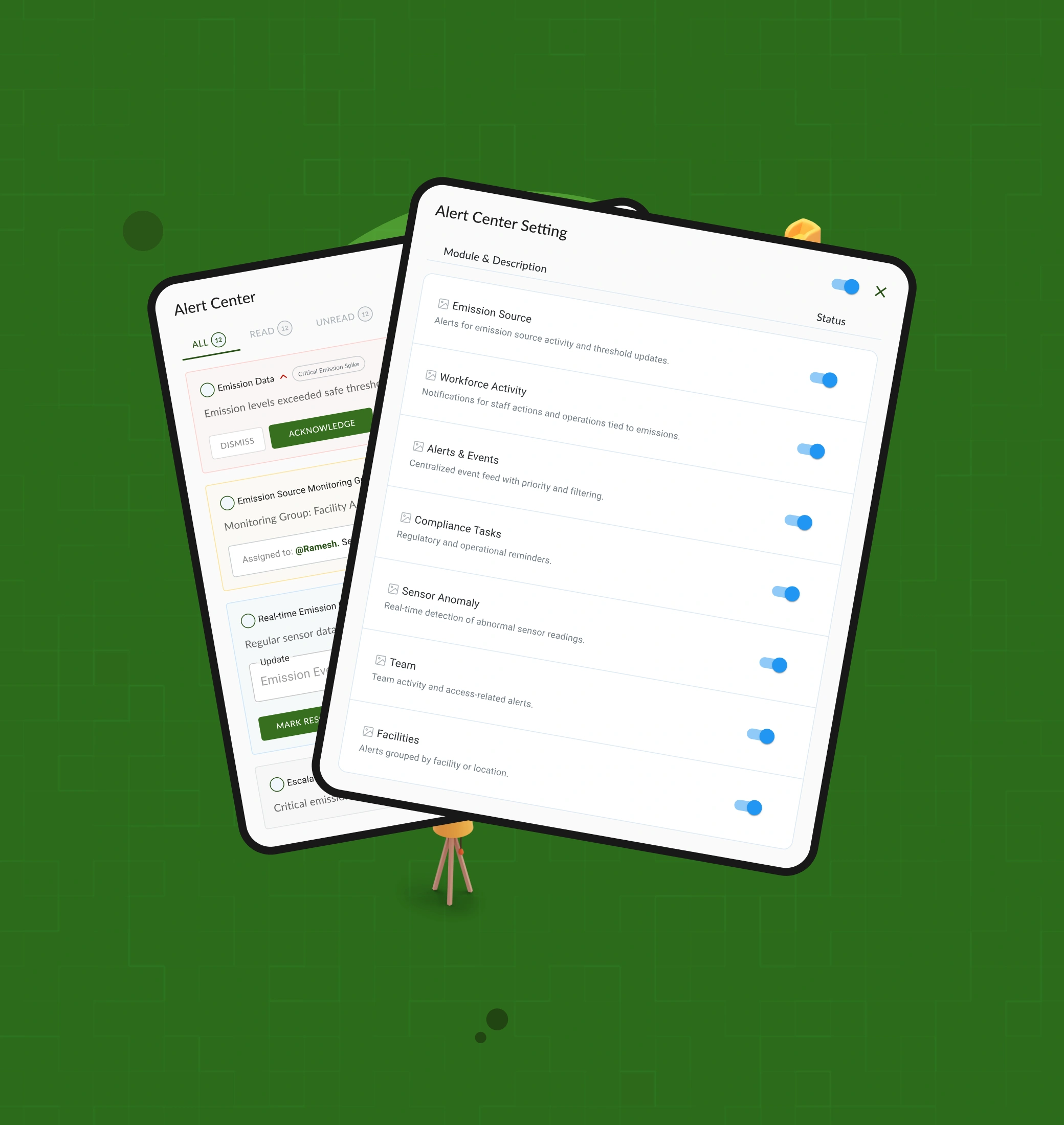
Notifications look simple until there are too many of them.
In an operational product, one alert might need action immediately, another might simply need to be acknowledged, and another might be useful only as a record. If they all look and behave the same, people have to do the sorting themselves.
I worked on a notification hub that makes that decision easier: what is this, how important is it, what do I need to do, and what happened to it afterwards?
The problem
The challenge wasn't to show more notifications. It was to help someone quickly understand which ones matter right now.
The existing idea had alerts coming from different parts of the product. That created a simple question with a surprisingly difficult answer:
What should I look at first, and what can wait?
The design needed to make priority obvious without hiding less urgent information, while keeping enough context close to the alert for someone to act on it.
What I focused on
I kept the experience centred around four things:
- Priority: make the difference between urgent, important and routine visible at a glance.
- Context: show enough information to understand what happened without opening several screens.
- Action: make the next step clear, whether that means acknowledging, resolving or simply reading.
- Status: make it easy to understand where an alert is in its lifecycle.
One alert, from signal to resolution
Rather than treating a notification as something that disappears after being read, I treated it as a small workflow.
A signal comes in → the user understands its priority → checks the context → takes action → the alert moves to its next state.
That led to simple states and actions instead of adding more controls to the interface.
Making priority visible
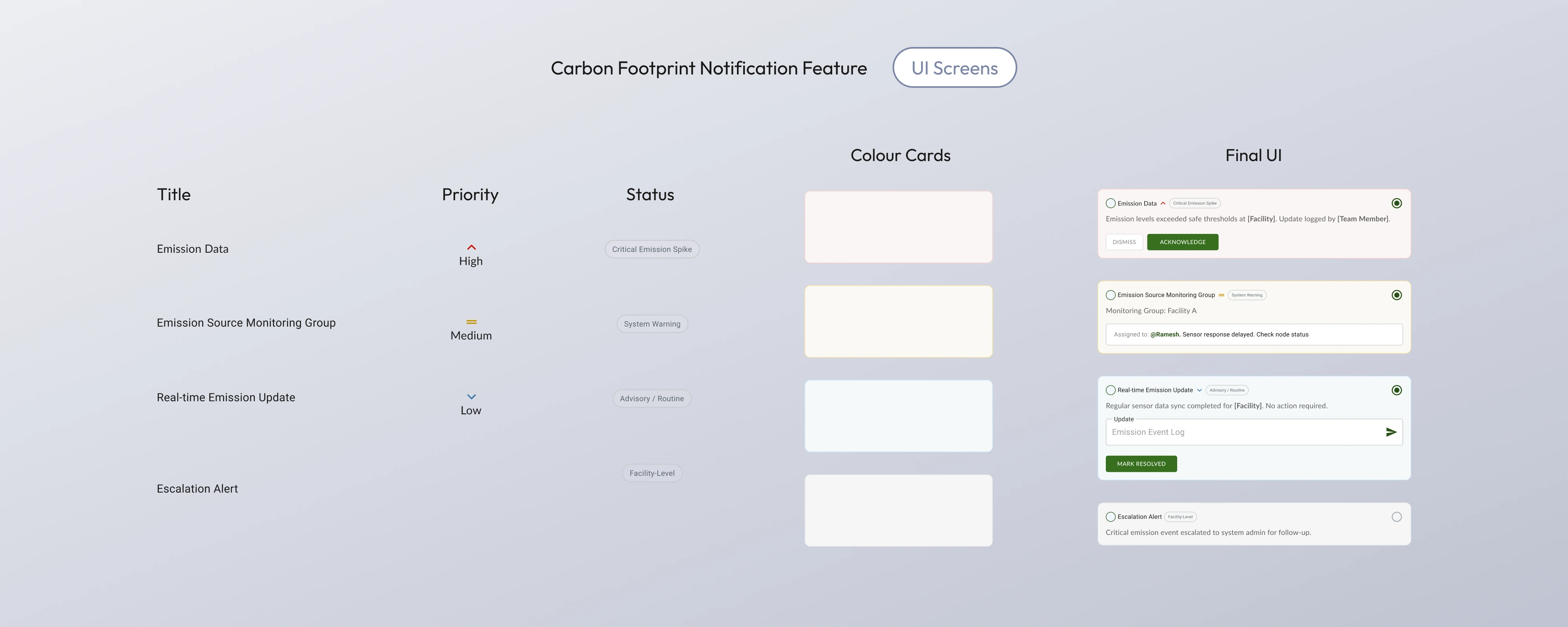
I explored a small set of priority levels and used colour carefully to support them.
The important part wasn't making the alerts colourful. It was making the difference between them understandable before someone started reading every line.
The final cards use colour, labels and hierarchy together so priority doesn't depend on colour alone.
Giving the alert enough context
An alert is only useful if the person receiving it can understand what happened.
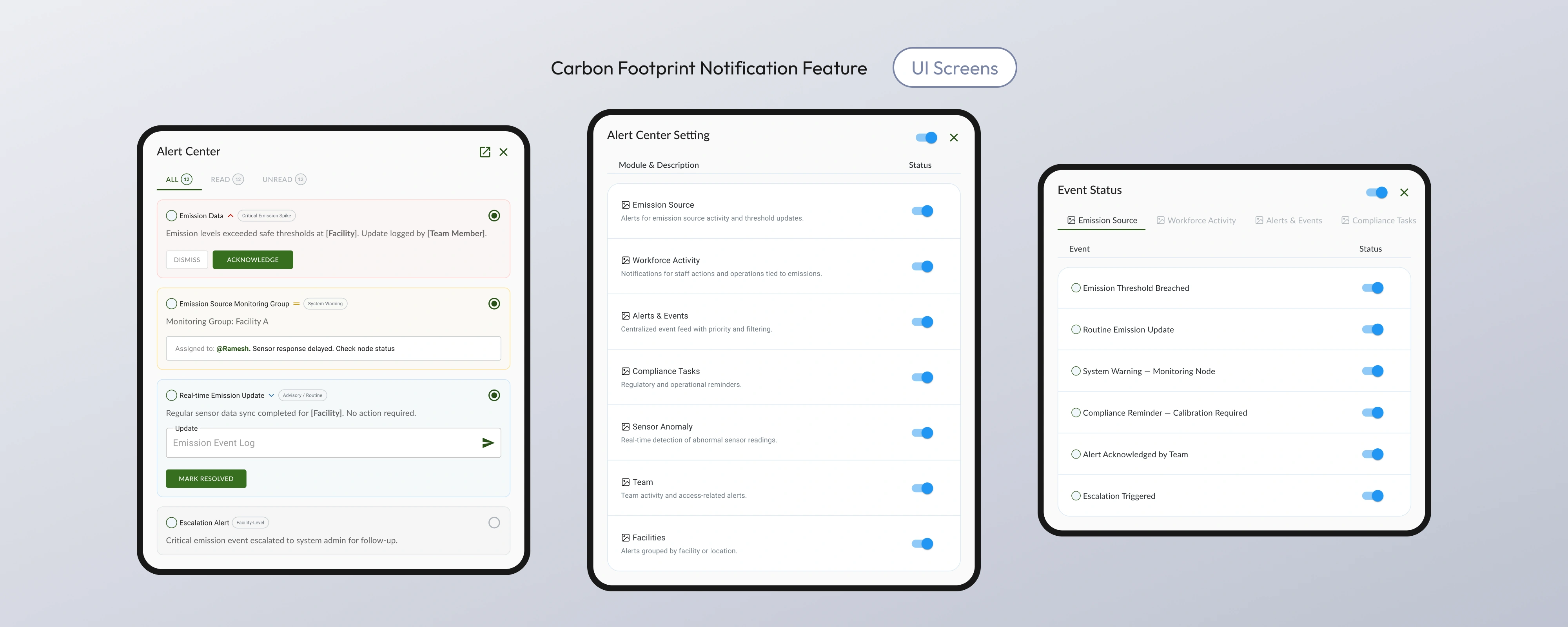
So the notification card brings the useful pieces together: what happened, where it happened, who is involved, and what can be done next.
The goal was to avoid sending people away from the notification just to understand why it matters.
Keeping the lifecycle visible
Reading an alert and resolving an alert are not the same thing.
The interface separates those states and gives important alerts clear actions such as Acknowledge and Mark Resolved. This makes the notification feel like part of an ongoing task rather than a message that simply disappears from a list.
Exploring the system before settling on the UI
I first broke the alert down into a few basic pieces: title, priority, status, context and action.
From there I explored colour and card treatments before bringing those pieces together in the final interface.
This helped keep the visual decisions tied to the behaviour of the notification rather than styling the cards first and figuring out the logic later.
A constraint I had to respect
This wasn't a clean-sheet product.
The notification experience had to fit into an existing enterprise product and work with the information and patterns already available. That meant the goal wasn't to invent a completely new notification system. It was to make the existing complexity easier to understand and act on.
A few decisions I made
I kept the priority model small instead of creating a long list of severity levels.
I kept configuration separate from the main notification feed. The feed answers “what needs my attention?” while settings answer “what should I receive?”
I also avoided making every notification equally actionable. Some events need a response. Others only need to be understood or recorded.
These decisions kept the main screen focused on the moment when someone is actually trying to decide what to do.
What this design clarified
The biggest learning was that a notification isn't really a message. In an operational product, it is the beginning, middle or end of a task.
That changes what needs to be designed.
The important questions become:
What deserves attention?
What context is needed?
Who owns the next step?
Has something actually been resolved?
The final design gives those questions a visible place in the interface instead of making the user work them out from a long list of alerts.
What I would test next
There wasn't enough quantitative data to claim a measured improvement, so I would not present one.
The next step would be to put the design in front of real operators and test a few practical questions:
- Can they spot the most important alert quickly?
- Do they understand why it needs attention?
- Can they tell what has already been handled?
- Do Acknowledge and Resolve match how they actually work?
- Which notifications feel useful, and which feel like noise?
Those answers would determine whether the hierarchy and lifecycle model are actually helping, rather than just looking clear in the interface.
Reflection
The interesting part of this project wasn't designing a notification list.
It was deciding what information deserves attention, what can wait, and how the product should help someone move from seeing a problem to dealing with it.
That is the part I would carry into any operational product: don't make every signal louder. Make the important ones easier to understand and act on.